Restrict access spatially
In this tutorial, you will learn how to restrict access to the service https://services.conterra.de/arcgis/services/common/grenzen/MapServer/WMSServer spatially.
Prerequisite
This tutorial builds on the files created in the tutorial Allow access to WMS.
Define geometry
To spatially restrict access to the WMS roughly to the area of North Rhine-Westphalia, first create the file nrw.geojson in the policies folder:
{
  "type": "Polygon",
  "coordinates": [
    [
      [ 5.86725, 50.32375 ],
      [ 9.46245, 50.32375 ],
      [ 9.46245, 52.52860 ],
      [ 5.86725, 52.52860 ],
      [ 5.86725, 50.32375 ]
    ]
  ]
}
Geometries in this file must be of type Polygon or MultiPolygon.
They describe the regions where access is allowed.
security.manager for OGC clips requested maps along these geometries.
A more detailed description of this file and its conditions can be found under Geometries for spatial restrictions.
Define spatial restriction
The spatial restriction must now be defined in the policy file.
Open the policies-grenzen-wms.json from the previous tutorial.
Add the restrictions section to the file and include a spatial restriction as follows:
{
  "policies": [{
    "layers": ["*"],
    "roles": ["enhancedSecurity_any"]
  }],
  "restrictions":{
    "nrw":{
      "type":"spatial",
      "source":"nrw.geojson"
    }
  }
}
Reference restriction
After creating the geometries for the spatial restriction and defining a spatial restriction, you must reference it in a policy file. To do this, extend the policy file with a list of restrictions. Add the name of the restriction to this list:
{
  "policies": [{
    "layers": ["*"],
    "roles": ["enhancedSecurity_any"],
    "restrictions":["nrw"]
  }],
  "restrictions":{
    "nrw":{
      "type":"spatial",
      "source":"nrw.geojson"
    }
  }
}Verify configuration
To verify the configuration, call the protected service:
http://localhost:8080/secman-ogc/arcgis/services/common/grenzen/MapServer/WmsServer?width=1160&height=1080&bbox=614000%2C6455000%2C1060000%2C6940000&crs=EPSG%3A3857&format=image%2Fpng&request=GetMap&service=WMS&styles=&transparent=TRUE&version=1.3.0&layers=0%2C1%2C2%2C3
For comparison, also call the target service with the same parameters:
https://services.conterra.de/arcgis/services/common/grenzen/MapServer/WmsServer?width=1160&height=1080&bbox=614000%2C6455000%2C1060000%2C6940000&crs=EPSG%3A3857&format=image%2Fpng&request=GetMap&service=WMS&styles=&transparent=TRUE&version=1.3.0&layers=0%2C1%2C2%2C3
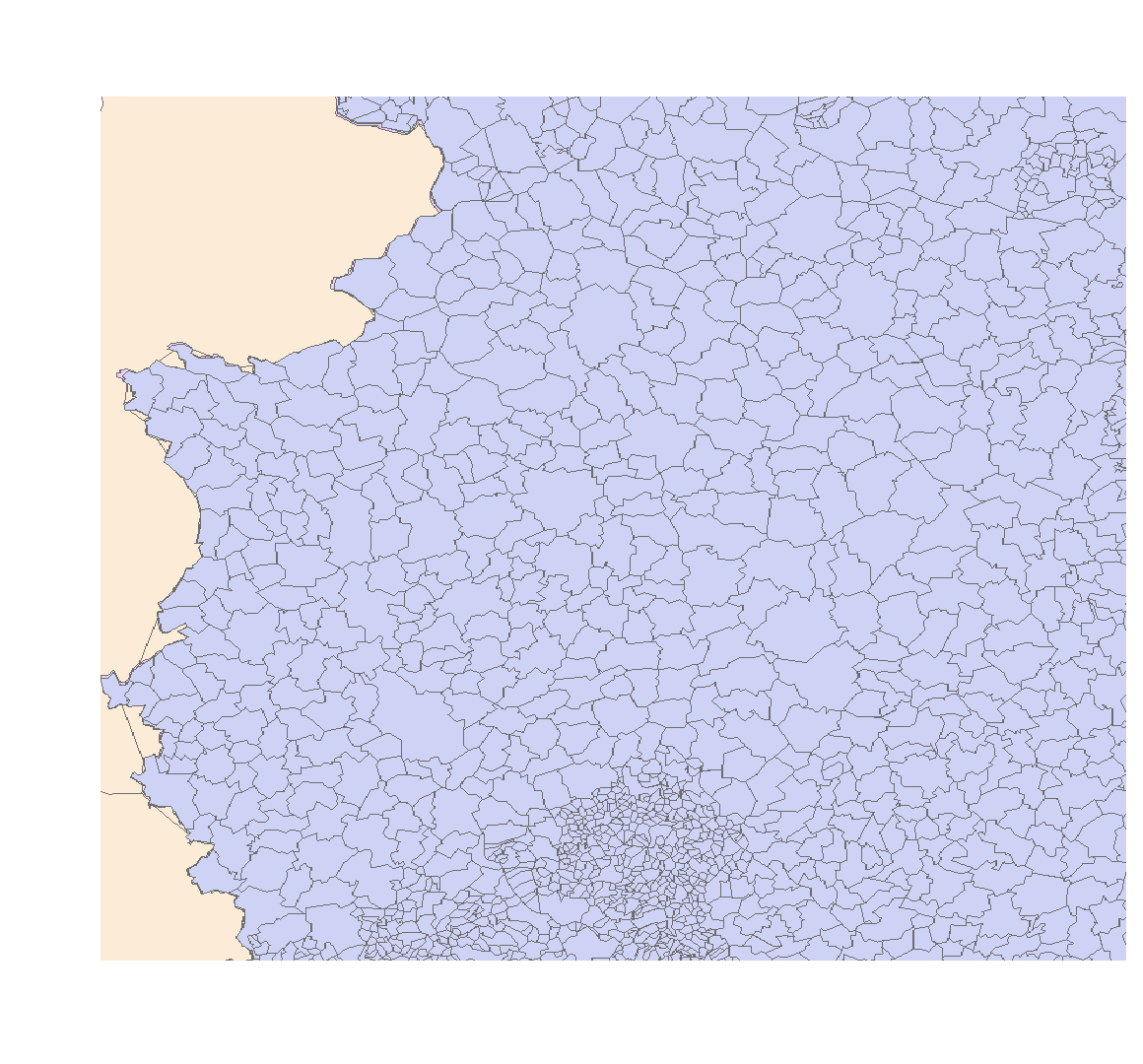
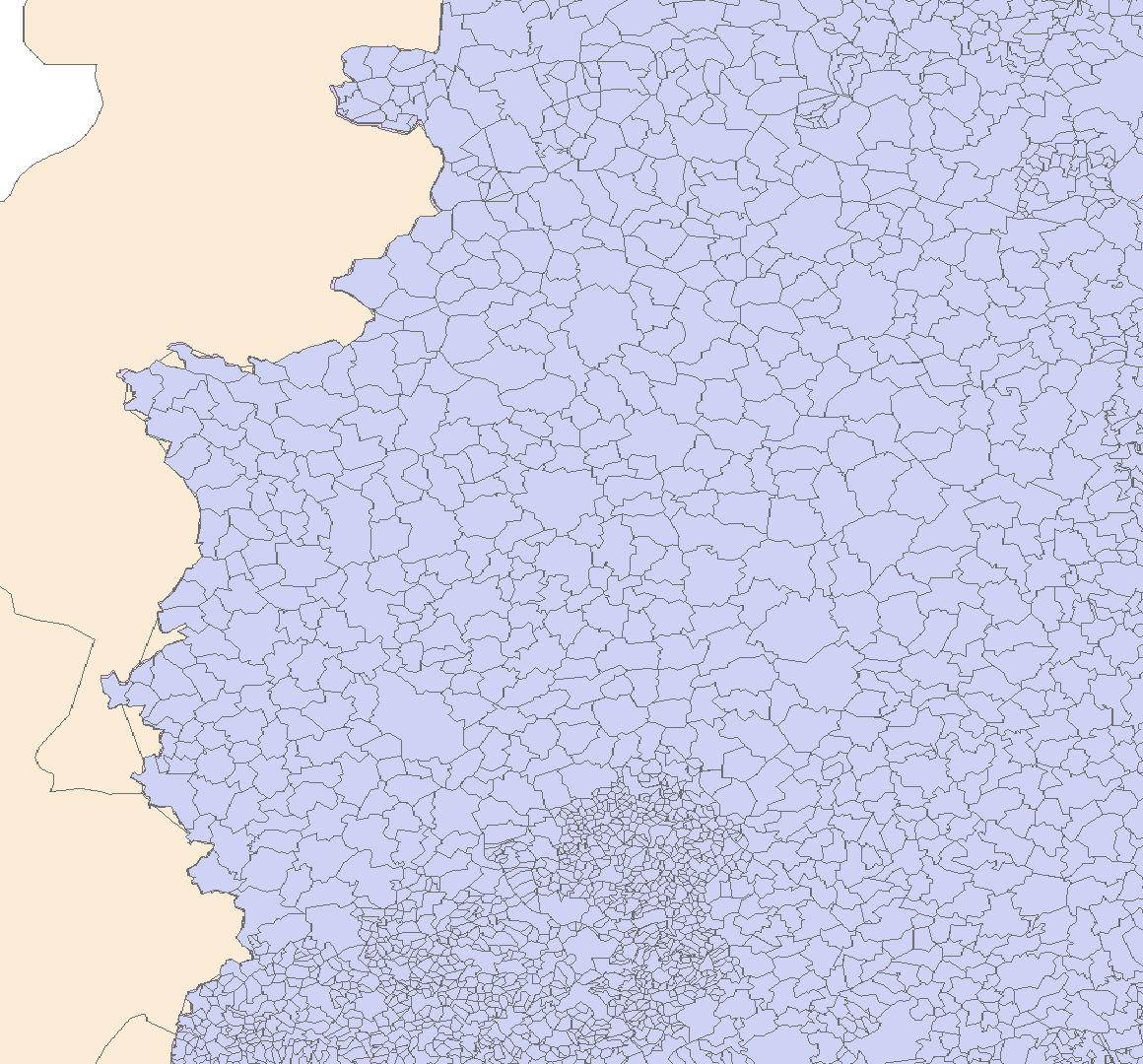
You can now see that the protected service is restricted to the region specified above and is clipped along it.